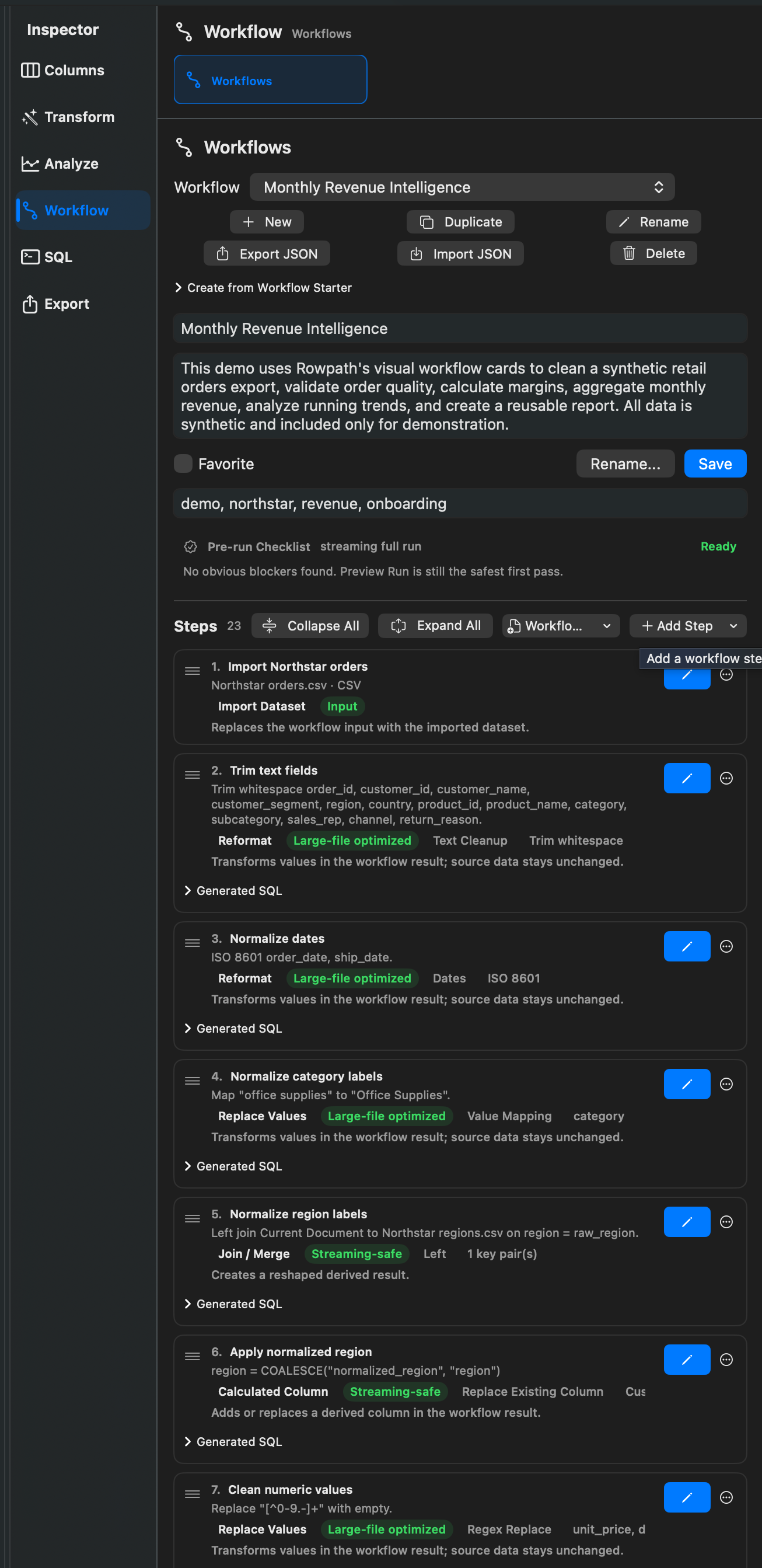
What Workflows Do
Workflows let you save a sequence of Rowpath steps and run them again. They can include import, validation, SQL, cleanup, transformation, duplicate analysis, aggregation, derived results, and exports.
Workflows are useful when you repeat the same preparation, validation, analysis, or export process across files.
Creating A Workflow
You can create workflows from:
- Workflow Starters.
- A Working View stack.
- Feature inspectors that offer workflow actions.
- SQL templates or saved SQL.
- Manual workflow editing.
Editing A Workflow
Workflow steps have user-facing names such as Import Dataset, Validate Dataset, SQL Query, Filter, Sort, Duplicate Analysis, Find Missing Values, Reformat, Calculated Column, Group & Aggregate, and export steps such as Export CSV, Export Parquet, or Export DuckDB.
Workflow editing supports changing step order, configuring step parameters, and continuing work from a previous workflow result when the route is available.
Running A Workflow
Run a workflow to apply its steps to the current dataset or to configured local sources. Validation steps can warn and continue, fail the workflow, or skip following steps depending on their branch action.
Export steps can write to a configured destination. If a destination is not saved, Rowpath prompts for a location when the workflow runs.
Workflow Continuation
Rowpath supports continuing from workflow results when a workflow creates a result that can be used for more work. This is useful for reviewing intermediate output, loading it into memory, or applying more steps.
Notes
- Workflows are local-first. They operate on local data sources and destinations selected by the user.
- Workflow Starters may be an edition-gated capability.
- Some Working View steps cannot be saved to a workflow if they depend on unavailable generated columns or are not workflow-compatible.
Related pages:
Screenshots