What It Does
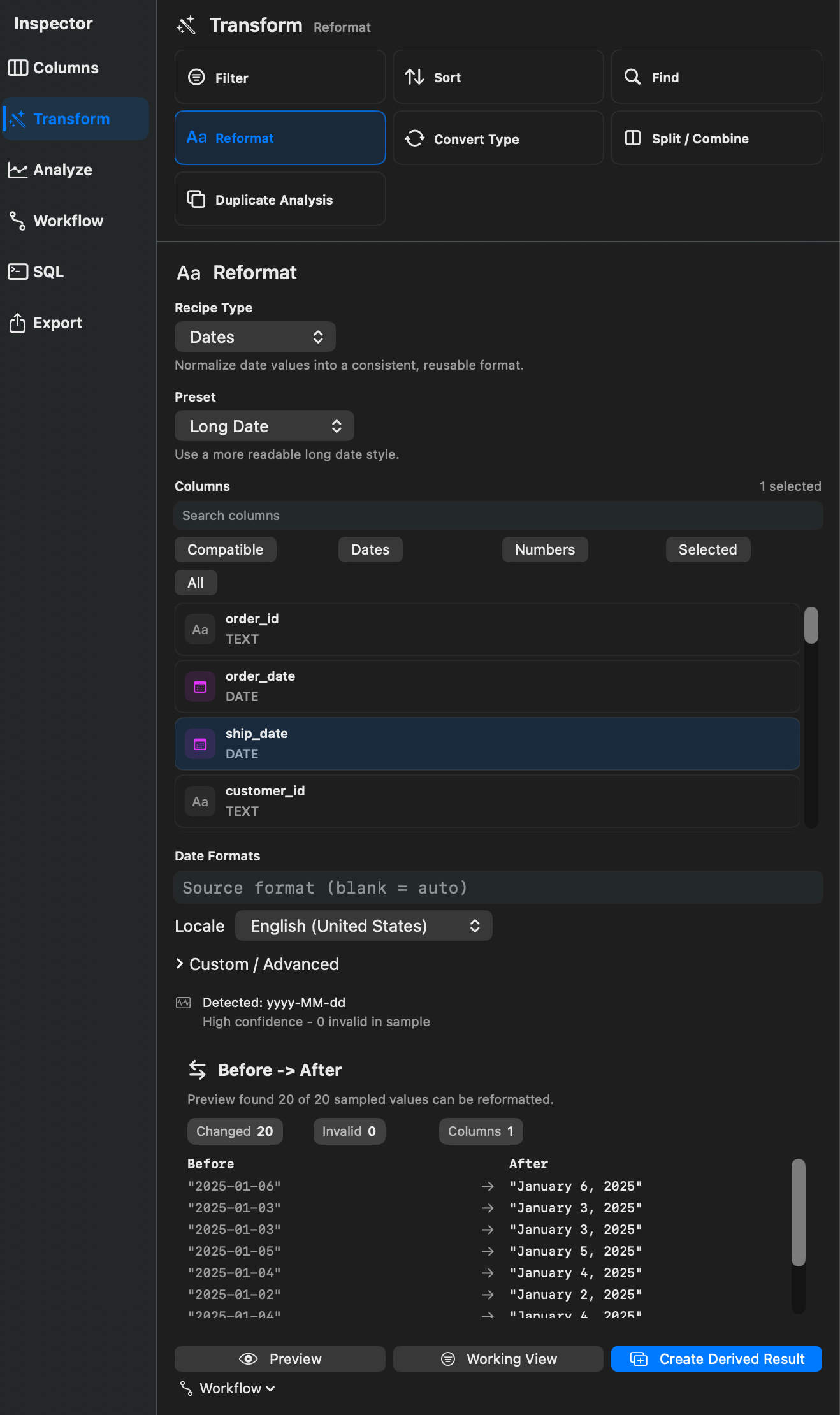
Reformat changes how values are represented. Rowpath supports date, number, currency, percentage, and text cleanup formatting.
When To Use It
Use Reformat when you need to:
- Normalize date values.
- Format numbers with decimals, thousands separators, or scientific notation.
- Format currency or percentages.
- Trim whitespace, collapse repeated spaces, or change text case.
- Prepare data for export or a repeatable workflow.
How To Use It
- Open Reformat.
- Choose a kind: Dates, Numbers, Currency, Percentages, or Text Cleanup.
- Choose a preset.
- Choose a scope such as selected columns, visible rows, entire dataset, or current filter.
- Preview the result.
- Apply in place when available, create a derived result, or use a streaming export path.
Presets include ISO 8601 dates, short dates, long dates, month names, remove time, decimal formatting, thousands separators, fixed decimal places, currency, percentage, scientific notation, accounting negative style, trim whitespace, collapse spaces, uppercase, lowercase, and title case.
Notes
- Large-file and preview-backed tables prefer derived or streaming paths instead of direct in-place changes.
- Custom date formats and selected-cell scopes may require materializing the result before Rowpath can apply the change.
- Applying reformatting through a Working View or derived result keeps the original source file unchanged.
Related Features
Screenshots