What It Does
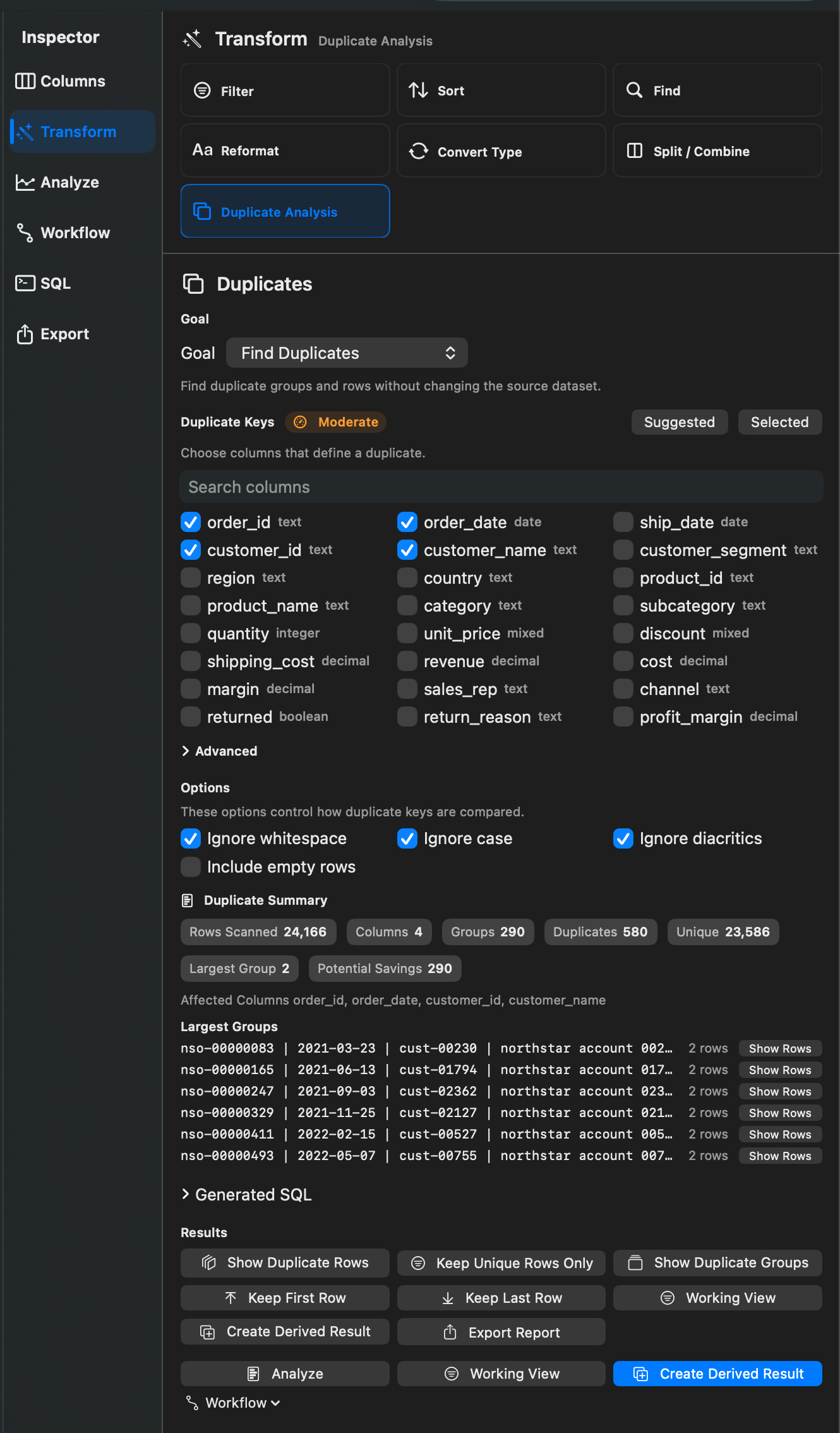
Duplicate Analysis finds repeated rows or repeated key values. It can show duplicate rows, summarize duplicate groups, keep only unique rows, keep the first duplicate, or keep the last duplicate.
When To Use It
Use Duplicate Analysis when you need to:
- Find records with the same key columns.
- Remove exact duplicates.
- Keep the first or last record in each duplicate group.
- Review duplicate groups before exporting or creating a cleaned result.
How To Use It
- Open Duplicate Analysis.
- Choose a goal or cleanup preset.
- Select the columns that define a duplicate.
- Configure matching options such as ignoring whitespace, case, or diacritics.
- Choose whether empty rows are included.
- Apply as a Working View when supported, or create a derived result.
Available modes include Duplicate Rows, Unique Rows, Duplicate Groups, First Row in Each Duplicate Group, Duplicates Excluding First, Duplicates Excluding Last, Keep First Only, and Keep Last Only.
Notes
- Duplicate group summaries change the result shape, so they are not available as stackable Working Views.
- Row-preserving duplicate actions can be used in Working Views.
- Duplicate analysis may scan the full dataset and can take longer on large files.
Related Features
Screenshots