What It Does
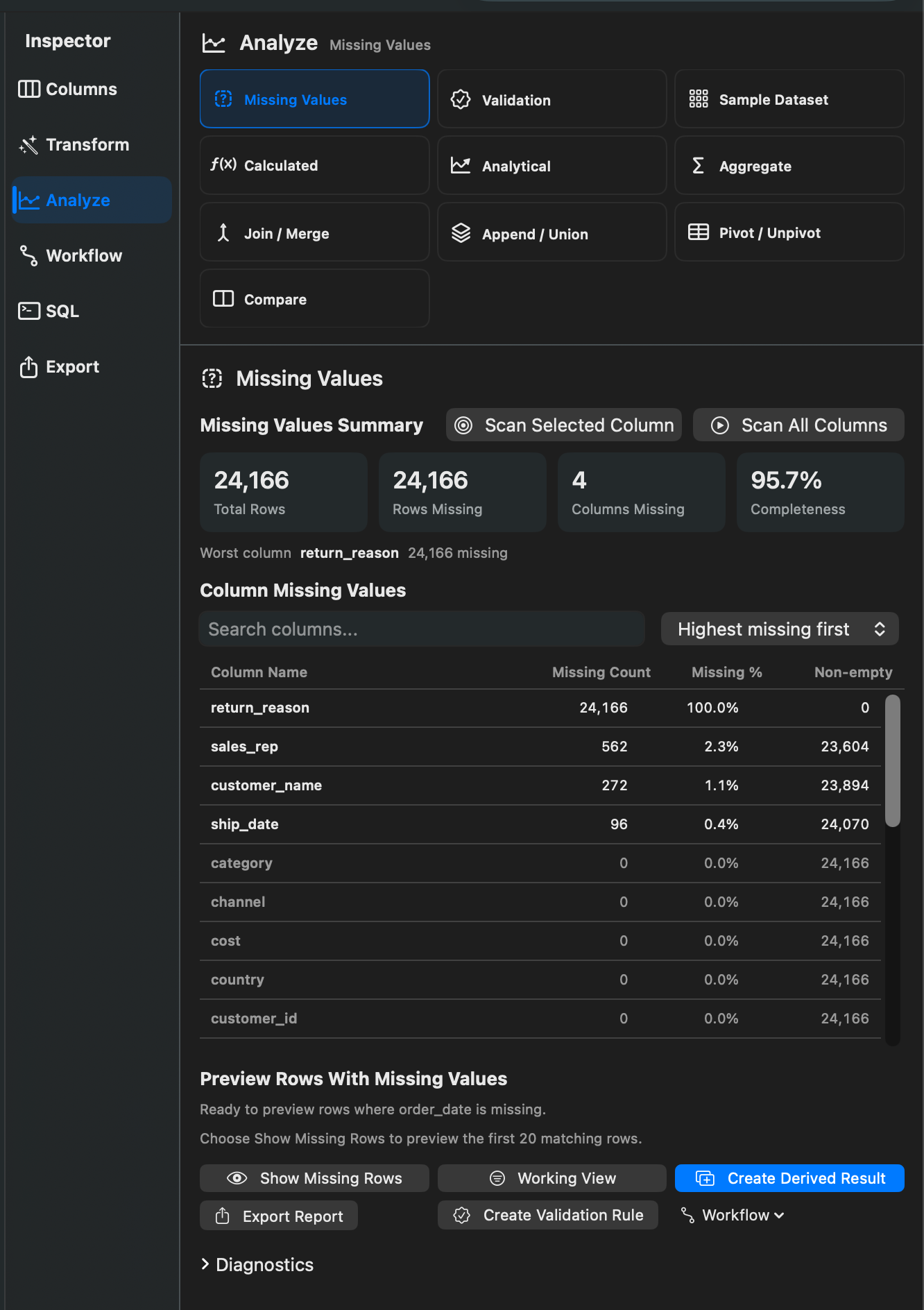
Find Missing Values identifies rows and columns with missing data. Rowpath treats null values and trimmed blank text as missing where applicable.
When To Use It
Use Missing Values when you need to:
- Find rows where selected columns are blank.
- Measure completeness before cleanup.
- Create a report of missing cells by column.
- Build a workflow step that catches incomplete data.
How To Use It
- Open Find Missing Values.
- Select the columns to check.
- Choose whether a row should match when any selected column is missing or all selected columns are missing.
- Preview matching rows or the missing-value summary.
- Apply as a Working View or create a report/result.
Notes
- The summary includes total rows, rows with any missing value, columns with missing values, total missing cells, the worst column, and overall completeness.
- Per-column reporting includes missing count, missing percent, non-empty count, and row count.
- Missing Values is related to validation, but it is exploratory: use Validation when a workflow should warn, fail, or branch based on a rule.
Related Features
Screenshots