What They Do
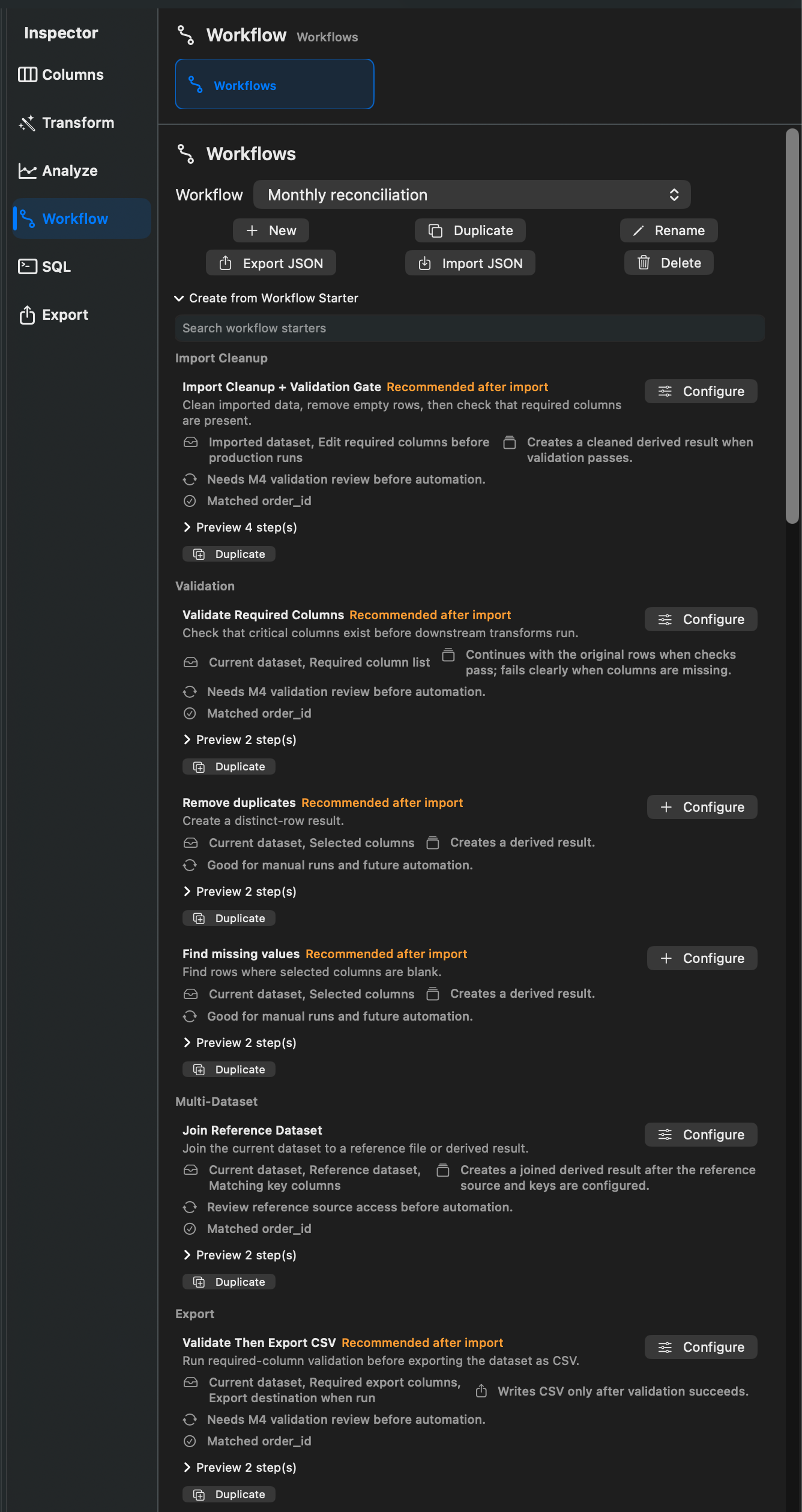
Workflow Starters create reusable workflows from built-in templates. They are designed for common cleanup, validation, analysis, and export tasks.
Built-In Workflow Starter Categories
Rowpath organizes workflow starters into:
- Import Cleanup
- Validation
- Multi-Dataset
- Export
- Transform
- Analysis
Built-In Starters Found In Source
Workflow template definitions include:
- Import Cleanup + Validation Gate
- Validate Required Columns
- Validate Then Export CSV
- Join Reference Dataset
- Monthly Revenue Summary
- Category + Numeric Summary
Starter workflow definitions include:
- Cleanup CSV
- Remove duplicates
- Normalize dates
- Export filtered rows
- Find missing values
- Create lightweight report
- Convert CSV to Markdown table
- Normalize Dates
- Cleanup Text
- Currency Formatting
- Numeric Cleanup
- Standardize CSV Export
- Date + Currency Cleanup Pipeline
- Running Revenue Total
- Rank Customers by Revenue
- Revenue Share by Region
- Previous Row Difference
- Rolling 7-Day Average
- Top N per Category
How To Use Them
- Open Workflow Starters.
- Search or browse the available starters.
- Configure required parameters such as columns, result names, or destination paths.
- Create the workflow.
- Run, edit, or duplicate the workflow as needed.
Notes
- Workflow Starters may be edition-gated.
- User-created workflow starters can be renamed, duplicated, and deleted.
- Some starters use selected columns or suggested columns from the current dataset.
Related pages:
Screenshots