What It Does
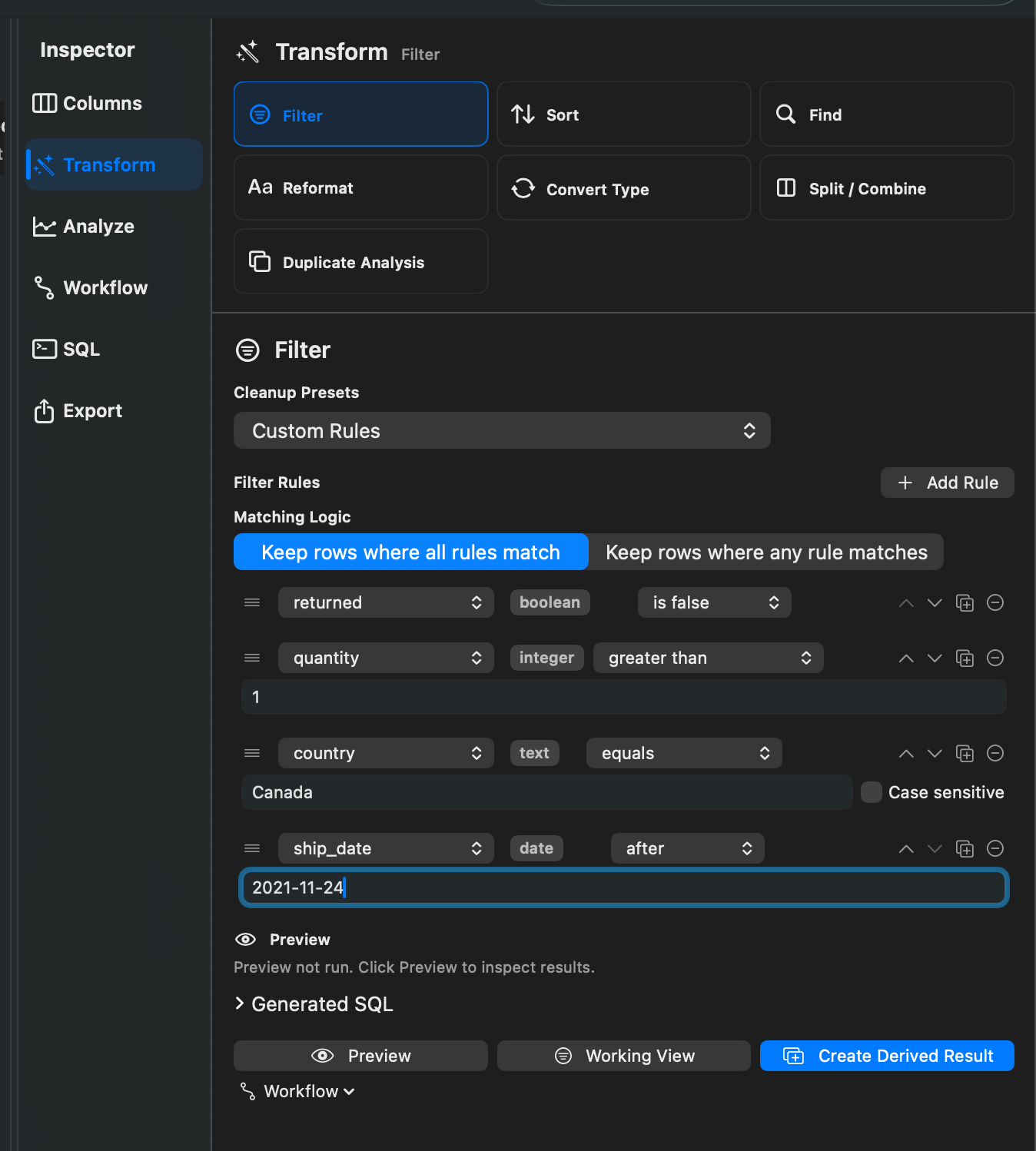
Filters keep or remove rows based on rules. Rowpath supports text, number, date, boolean, blank, and nonblank checks.
When To Use It
Use Filters when you need to:
- Focus on rows that match one or more conditions.
- Remove empty rows.
- Keep rows where important columns have values.
- Build a reusable cleanup step for a workflow.
How To Use It
- Open Filter.
- Add one or more rules.
- Choose whether rows must match All rules or Any rule.
- Choose a cleanup preset if you want a common pattern such as removing empty rows.
- Apply the filter as a Working View or create a derived result.
Supported rule types include contains, does not contain, equals, not equals, starts with, ends with, numeric comparison, numeric/date between, date before/after/on, boolean true/false, blank, and not blank.
Notes
- Cleanup presets include Remove Empty Rows, Remove Rows Where Selected Columns Are Blank, Keep Rows Where Selected Columns Have Values, and Remove Rows Missing Required Columns.
- Cleanup presets can target all columns, selected columns, or visible columns.
- Applying a filter as a Working View leaves the source data unchanged.
Related Features
Screenshots