What It Does
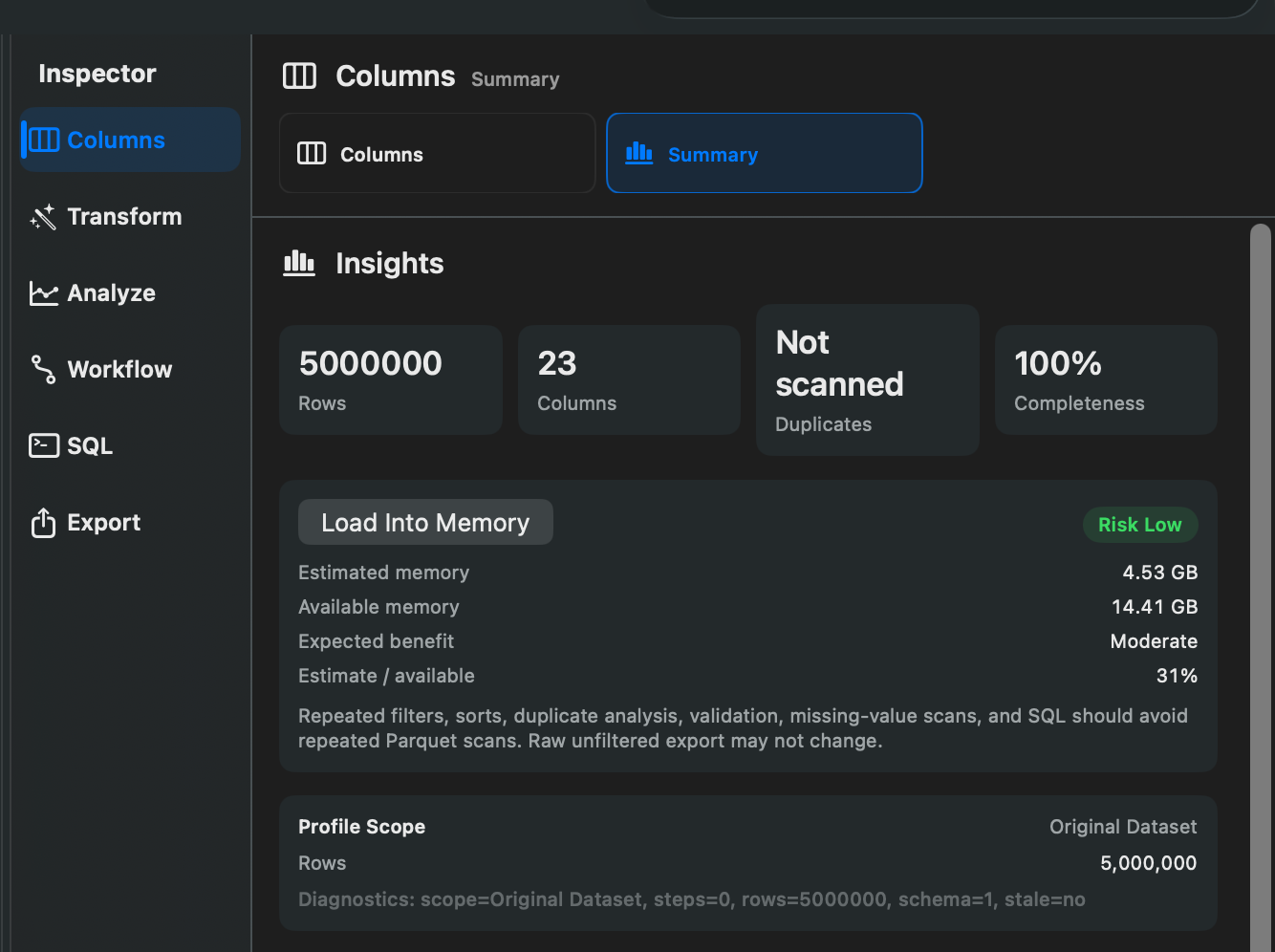
Memory Mode is exposed in the UI as Load Into Memory. It loads the current dataset into an in-memory table so repeated full-file operations can run faster.
When To Use It
Use Load Into Memory when:
- You plan to run several SQL queries or full-file operations.
- You are working with a large file that supports memory loading.
- The estimated memory use is reasonable for your Mac.
- You prefer faster repeated operations over lower memory use.
How To Use It
- Open a dataset.
- Review the full-file optimization card when it appears.
- Check Estimated memory, Available memory, Expected benefit, and Risk.
- Choose Load Into Memory.
- Wait for Rowpath to finish loading rows into memory.
When complete, Rowpath reports that the dataset is loaded into memory for full-file operations.
Notes
- Loading into memory can take a moment up front.
- The action uses more memory and may not be available for every backing source.
- Rowpath can cancel a memory load while it is in progress.
- The original file remains unchanged.
Screenshots