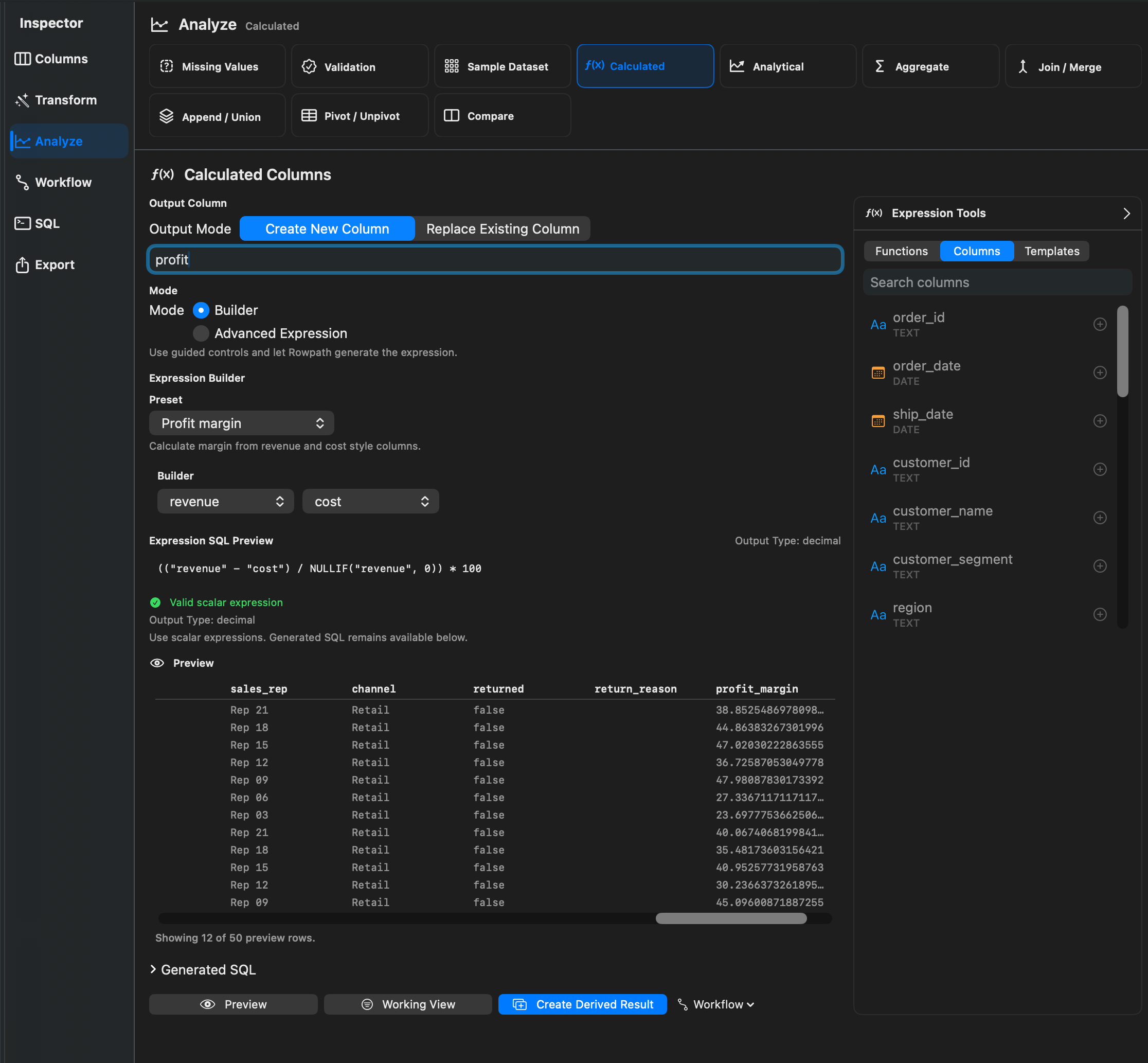
What It Does
Calculated Columns create a new column or replace an existing column using a scalar expression. Rowpath provides presets and expression helpers for common math, text, date, conditional, null-handling, and conversion tasks.
When To Use It
Use Calculated Columns when you need to:
- Add a derived value from existing columns.
- Clean or standardize values with an expression.
- Compute percent change, margin, rounded values, or date parts.
- Add a category or fallback value.
How To Use It
- Open Calculated Column.
- Choose Create New Column or Replace Existing Column.
- Select a preset or write a custom scalar expression.
- Preview the result.
- Apply the calculation as a Working View, derived result, or workflow step when available.
Presets include Add two columns, Subtract two columns, Multiply two columns, Divide two columns, Round number, Extract year, Extract month, Extract day, Concatenate columns, Conditional category, Percent change, and Profit margin.
Notes
- Calculated Columns support scalar expressions, not full SELECT queries. Use the SQL inspector for full SQL queries.
- Rowpath validates column references, balanced parentheses, unknown functions, and output type warnings before applying the expression.
- Common helper functions include
ROUND,ABS,CEIL,FLOOR,LOWER,UPPER,TRIM,CONCAT,STRFTIME,DATE_PART,DATE_DIFF,CASE WHEN,COALESCE,NULLIF,IFNULL,TRY_CAST, andCAST.
Related Features
Screenshots