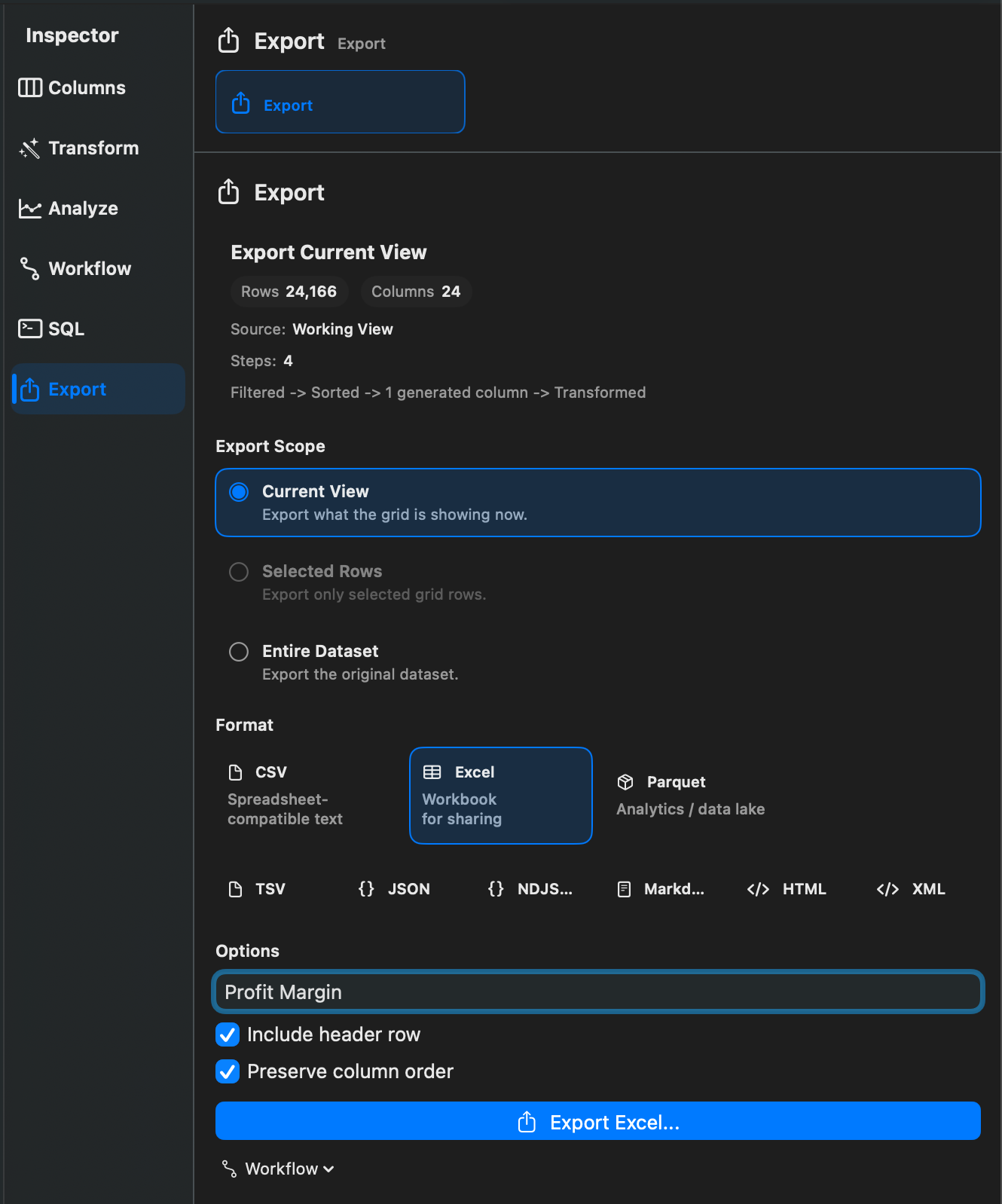
What Exports Do
Exports write a new file from a Rowpath dataset, Working View, SQL result, selected rows, or workflow result. Exporting does not rewrite the original source file.
Export Scopes
Rowpath supports exporting:
- The current view.
- Selected rows.
- The entire dataset.
When a Working View is active, Rowpath can export the view produced by the current stack of steps.
Export Formats
Supported export formats are:
- CSV
- TSV
- Excel Workbook (
.xlsx) - JSON
- NDJSON / JSON Lines
- Markdown table
- HTML table
- XML
- Parquet
- DuckDB database (
.duckdb)
The export UI describes these formats as spreadsheet-compatible text, tab-separated text, workbook output, structured JSON, one-record-per-line JSON, table output, HTML table output, XML rows, analytics/data-lake output, and DuckDB database output.
Export Options
Format-specific options include:
- CSV delimiter: comma, semicolon, or tab.
- CSV and TSV line endings: LF or CRLF.
- Include header row.
- Excel sheet name.
- Preserve column order for Excel.
Some formats do not expose additional options.
Format Availability
CSV, TSV, and Markdown exports are available to free users. Unlimited exports and additional formats may require Rowpath Pro.
Notes
- Workflow exports can save a destination or prompt at run time.
- Exporting a Working View may run the view steps over the full source, not only the preview rows.
- Use Supported Formats for the current import/export matrix.
Related pages:
Screenshots